Ergonomic Workspace Setups: 10 Essential Tips for a Comfortable and Productive Work Environment
With the rise of remote work and home offices, creating an ergonomic workspace setup has become more crucial than ever. A well-designed workspace can significantly improve your physical and mental well-being, increase productivity, and even enhance your overall quality of life. In this article, we'll explore the essential tips and best practices for setting up an ergonomic workspace that supports your health and comfort.
The Importance of Ergonomics in the Workspace
Chances are, you've heard of the term "ergonomics" before, but do you know what it really means? Ergonomics refers to the design and arrangement of your workspace to minimize the risk of injury and promote comfort. By creating an ergonomic workspace setup, you can reduce the risk of back pain, neck strain, and other musculoskeletal disorders (MSDs) associated with prolonged sitting or standing.
Desk Setup: The Foundation of Ergonomic Workspace
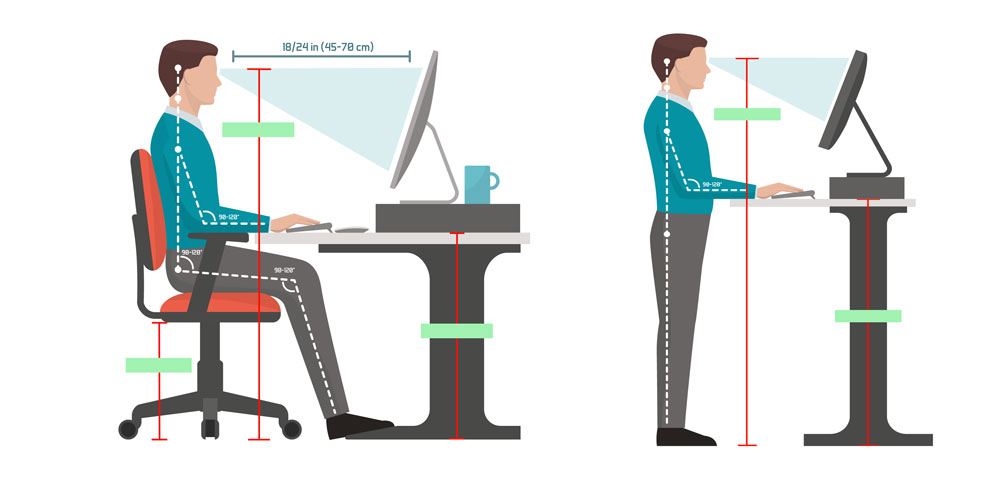
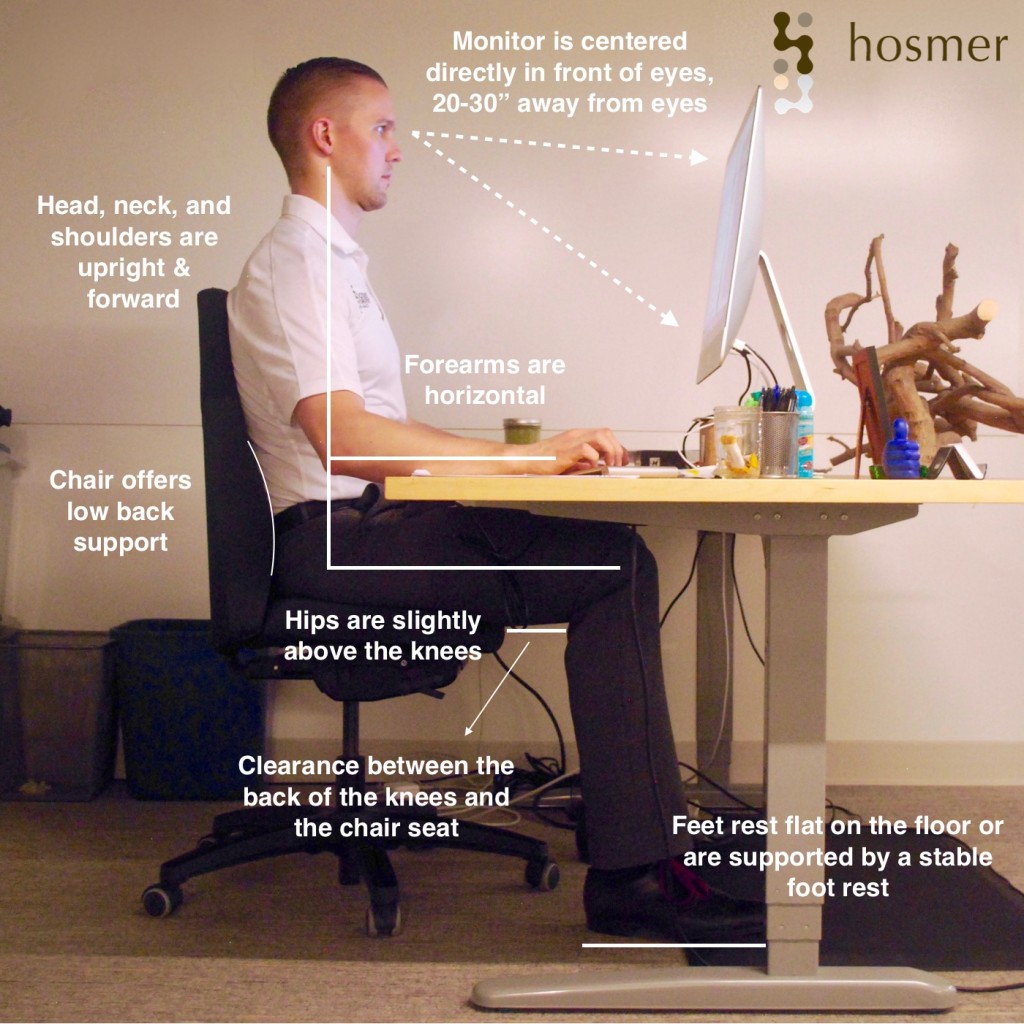
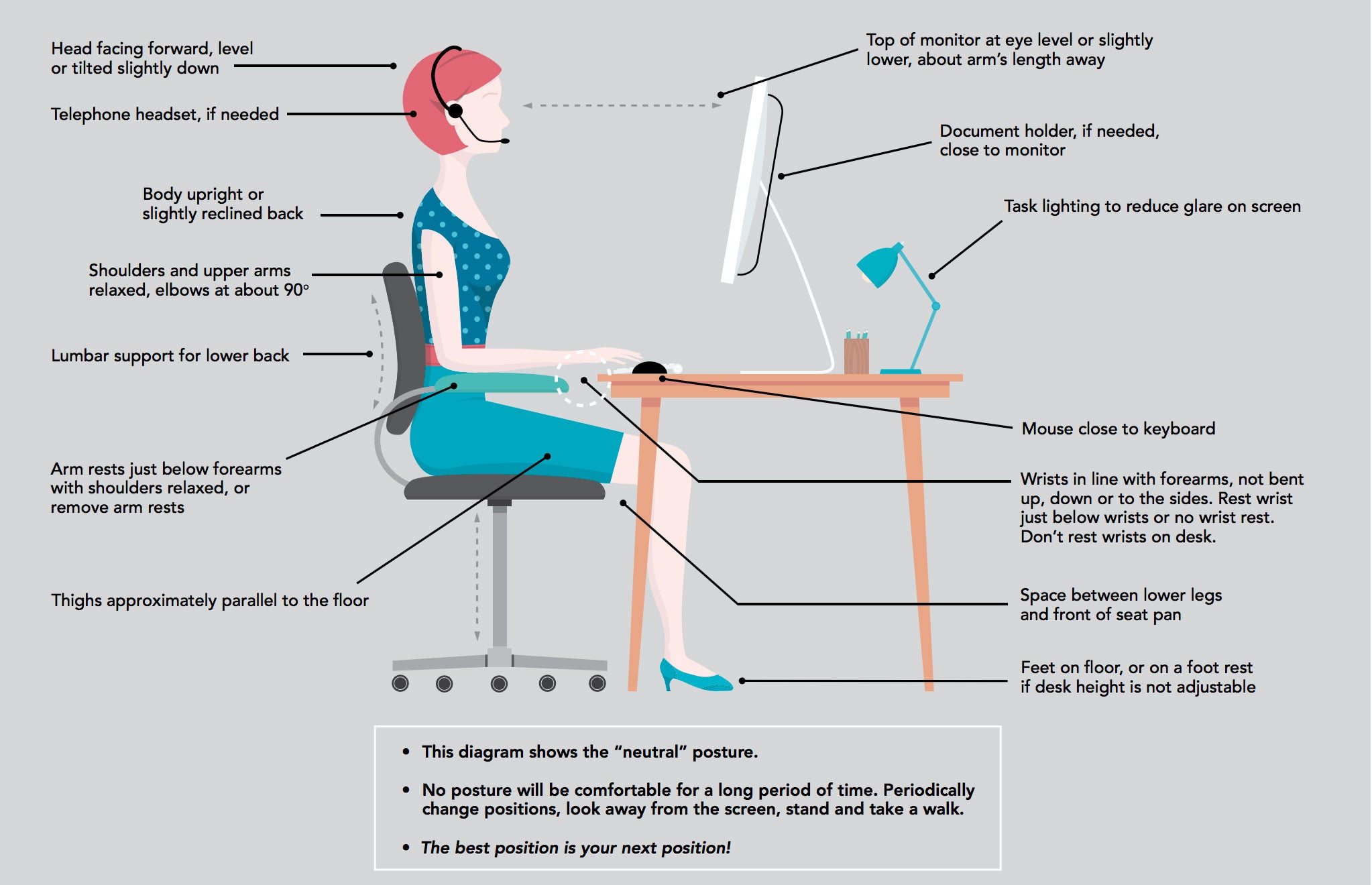
When setting up your desk, the first consideration is the chair. Your chair should provide the foundation for good posture throughout the day. The goal is to maintain a neutral body posture, which reduces stress on your muscles and joints. To achieve this:
- Adjust your chair height to ensure your feet are flat on the floor or on a footrest, with your knees at or below hip level.
- Position your chair close to the desk to prevent reaching forward, which can lead to neck strain.
- Adjust the armrests to support your arms at a 90-degree angle, reducing strain on your shoulders and back.
Next, consider the layout of your desk. Position your computer monitor directly in front of you, at a comfortable distance to prevent eye strain. The top of the monitor should be at eye level or slightly below, with the keyboard and mouse within easy reach.
Monitor Placement and Dual Monitor Setup
Using multiple monitors can significantly improve your workspace comfort and efficiency. When setting up a dual monitor configuration:
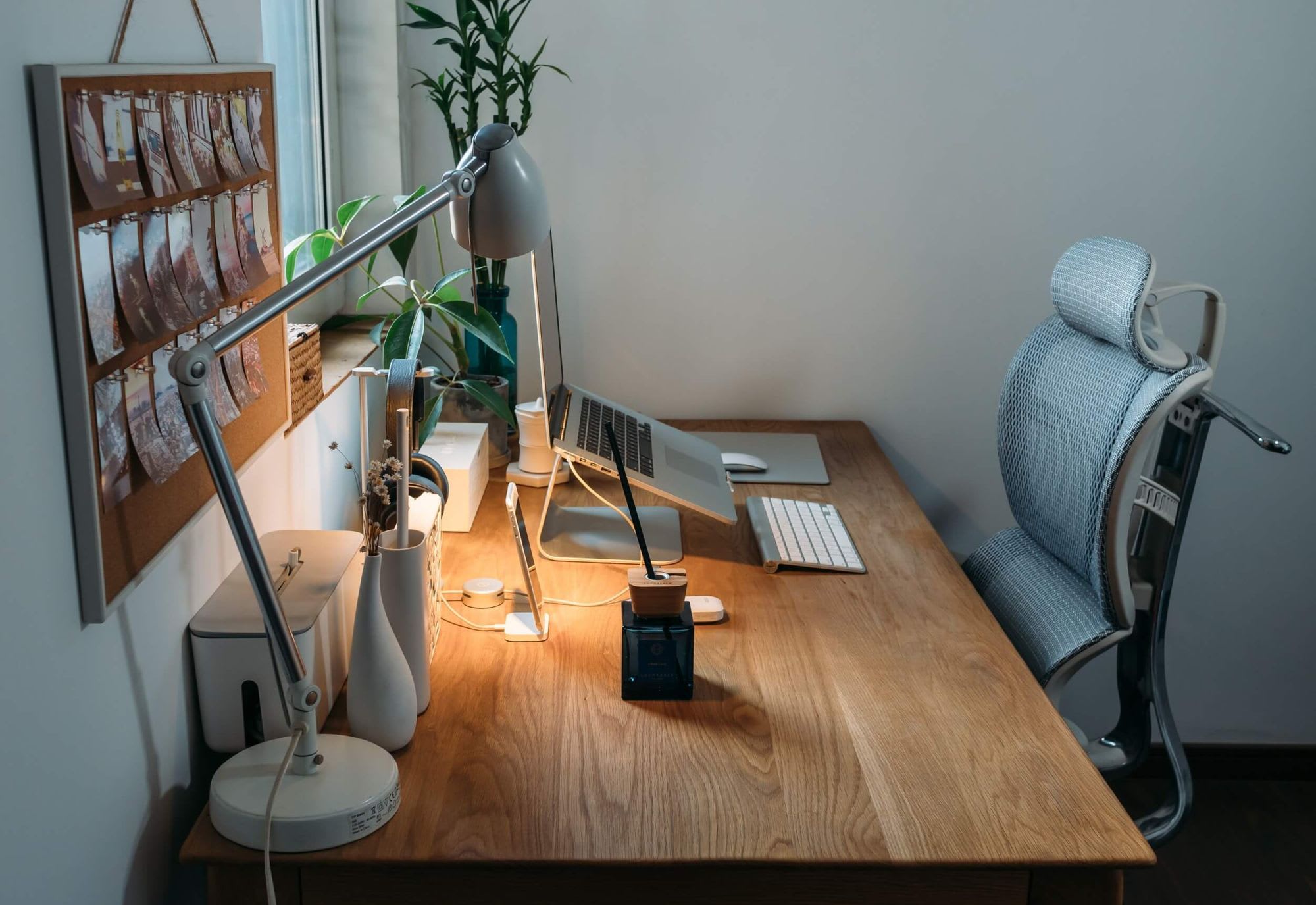
- Position the second monitor to the side of your primary monitor, at a comfortable distance and height.
- Use a second monitor stand or adjust the position of your monitors to minimize eye movement and prevent neck strain.
- Consider using a high-resolution monitor and a high-contrast display to reduce eye fatigue.
Additional Ergonomic Considerations
In addition to chair and desk setup, there are several other ergonomic considerations to keep in mind:
- Keyboard and mouse placement: Position your keyboard directly in front of your body, with your wrists straight and your elbows at a 90-degree angle. Use a mouse that fits comfortably in your hand.
- Footrest and leg room: Use a footrest or adjust your chair height to provide sufficient leg room, reducing pressure on your lower back.
- Lighting: Position your workspace near a natural light source or use high-quality LED lighting to minimize eye strain.
- Noise reduction: Use noise-cancelling headphones or a white noise machine to minimize distractions and promote focus.
Conclusion
Creating an ergonomic workspace setup is a critical step in maintaining a healthy and productive work environment. By following these essential tips and best practices, you can reduce the risk of injury, improve your posture, and enhance your overall well-being. Remember to adjust your workspace regularly to accommodate your changing needs, and don't hesitate to seek professional advice if you need help setting up an ergonomic workspace.
Final Thoughts
Ergonomics is not just about reducing the risk of injury; it's also about creating a workspace that promotes comfort and productivity. By prioritizing your health and well-being, you can improve your focus, increase your motivation, and achieve your goals. Take the first step towards creating an ergonomic workspace setup today, and reap the rewards of a happier, healthier you.