D-Link DIR-860L Firmware Update Process: A Comprehensive Guide
The D-Link DIR-860L Wireless AC1200 Dual Band Gigabit Router is a high-performance device that offers blazing-fast wireless speeds and seamless connectivity. However, like any other device, it requires periodic firmware updates to ensure optimal performance and security. In this article, we will walk you through the step-by-step process of updating the firmware on your D-Link DIR-860L.
Before You Begin
Before you start the firmware update process, make sure you have the following:
- Access to the web-based interface of your router.
- A computer or mobile device connected to your router via a wired or wireless connection.
- The latest firmware file for your D-Link DIR-860L router.
Step 1: Download the Latest Firmware File
The first step is to download the latest firmware file from the official D-Link website. Follow these steps:
- Go to the D-Link website and navigate to the support section.
- Enter your router model number (DIR-860L) in the search bar and select your region or country.
- Click on the firmware download link and select the latest version of the firmware file (e.g., DIR-860L_REVB_FIRMWARE_2.00.B13.ZIP).
- Save the firmware file to your computer.
Step 2: Access the Web-Based Interface
Next, you need to access the web-based interface of your router:
- Open a web browser and type the IP address of your router (usually 192.168.0.1 or 192.168.1.1).
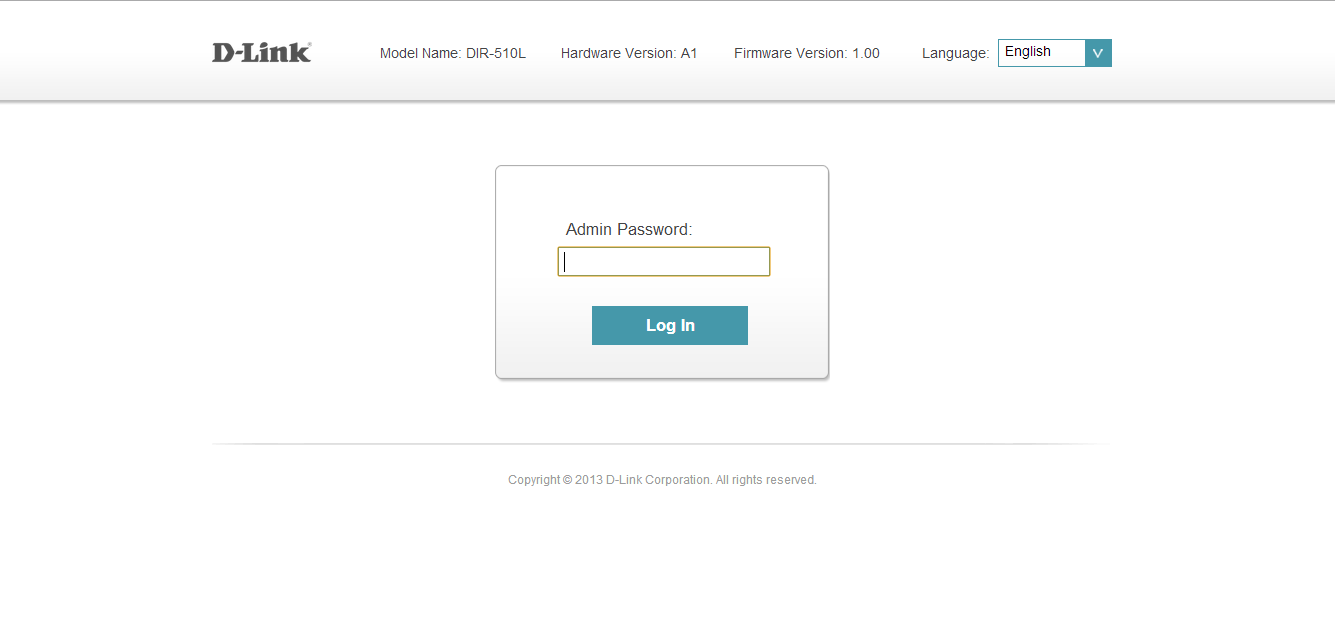
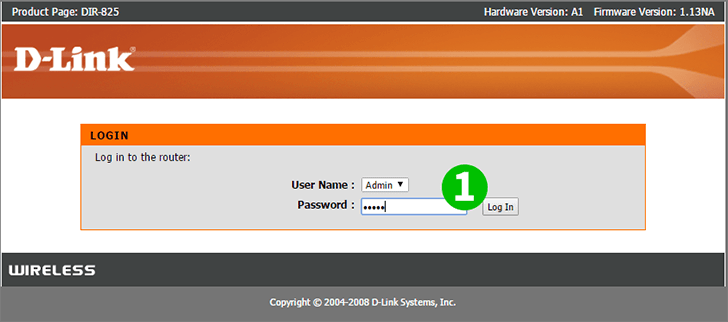
- Enter your admin username and password (default is admin/admin).
- Click on the Login button to access the web-based interface.
Step 3: Navigate to the Firmware Update Section
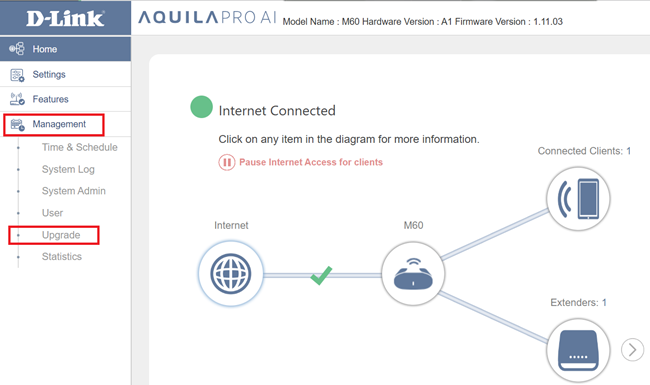
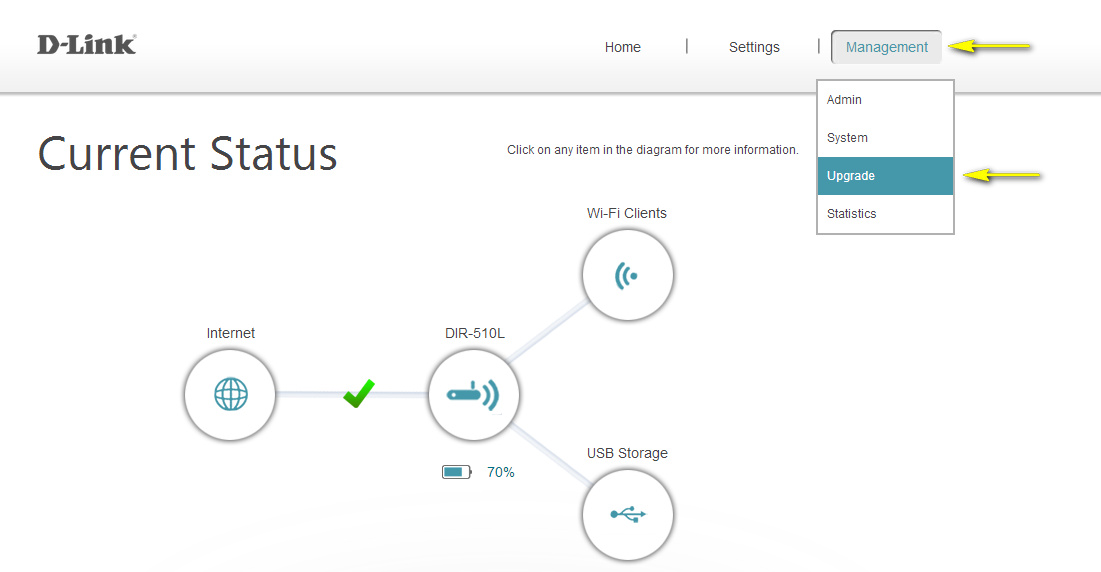
In the web-based interface, navigate to the Maintenance section and select the Firmware Update option:
- Click on the Maintenance tab and select the Firmware Update option from the drop-down menu.
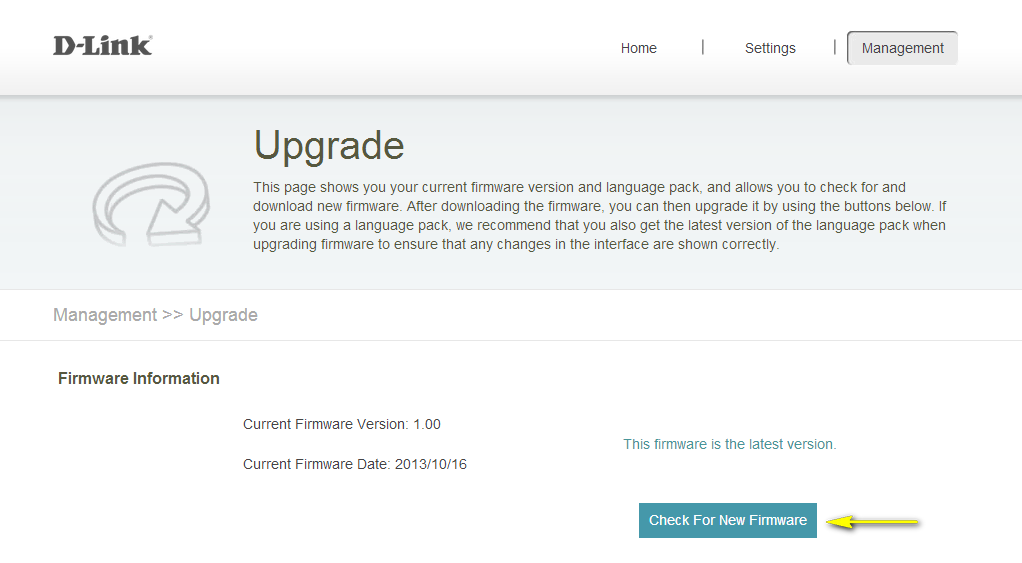
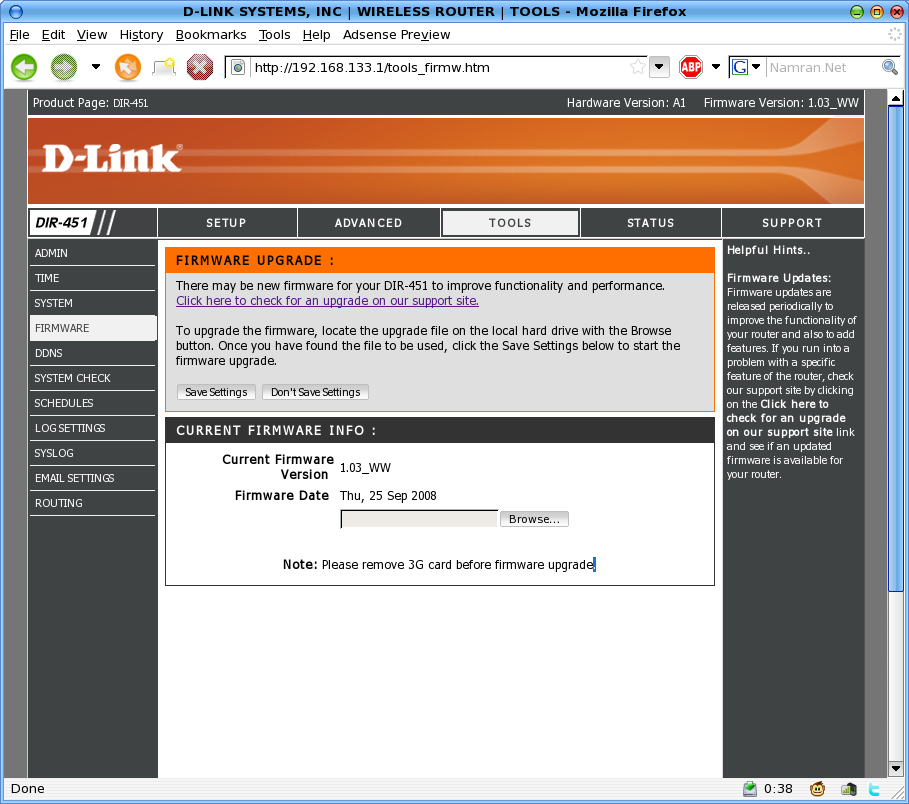
- Click on the Check For New Firmware button to verify if there is a newer firmware version available.
Step 4: Upload the Firmware File
Upload the downloaded firmware file to your router:
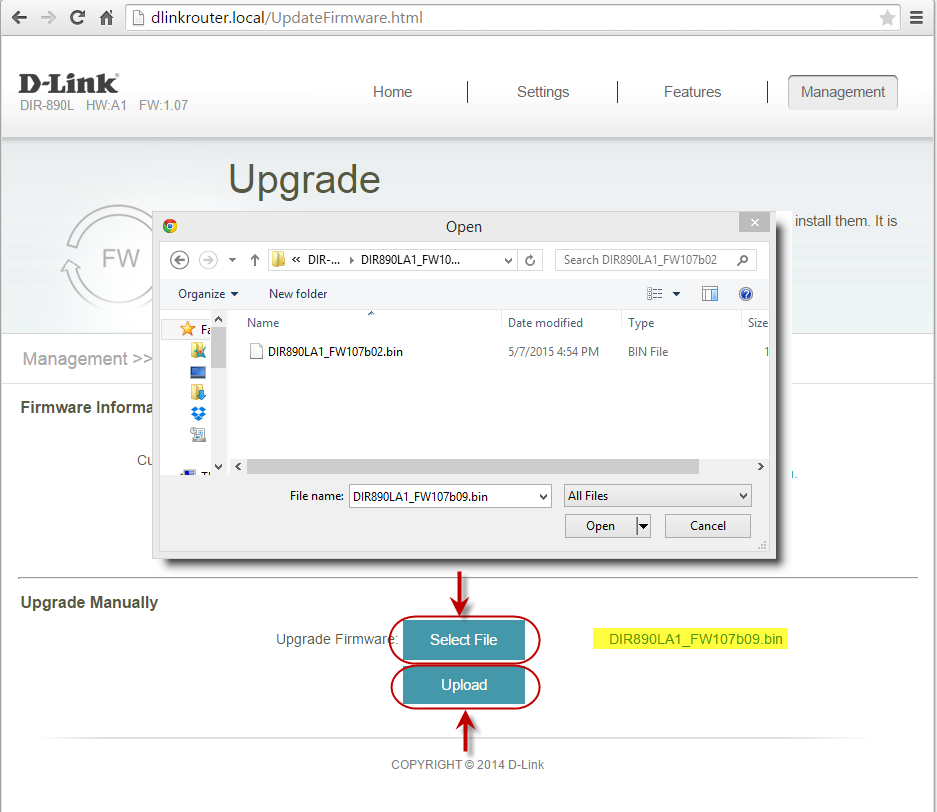
- Click on the Browse button and select the firmware file you downloaded earlier.
- Highlight the file and click on Open.
- Click on the UPLOAD button to start the firmware update process.
Step 5: Wait for the Firmware Update to Complete
Wait for the firmware update to complete, which may take up to 30 seconds:
- Click on Continue when it appears.
- The firmware is now upgraded, and your router will restart.
Benefits of Updating Firmware
Updating your D-Link DIR-860L firmware offers several benefits, including:
- Improved security and vulnerability fixes.
- Enhanced performance and transfer speeds.
- Added support for new devices and features.
- Increased compatibility with other devices.
Conclusion
Updating your D-Link DIR-860L firmware is a straightforward process that ensures your device operates at optimal performance and security. By following the steps outlined in this article, you can update your firmware and enjoy the benefits of a faster, more secure, and more reliable network connection.
Remember to periodically check for new firmware releases on the D-Link website to ensure your device stays up-to-date.